Difference Between seek() & tell() And How To Use

I am a self-taught Python developer who loves to write on Python Programming and quite obsessed with Machine Learning.
Python provides methods and functions to handle files. Handling files includes operations like opening a file, after that reading the content, adding or overwriting the content and then finally closing the file.
By using the read() function or by iterating over each line we can read the content of the file. The point of saying this is that there are several ways to present the program's output.
What if we want to read the file from a specific position or find out from where the reading begins? Python's seek() and tell() functions come in handy here.
In this article, we'll look at the differences and applications of Python's seek() and tell() functions.
Sample File
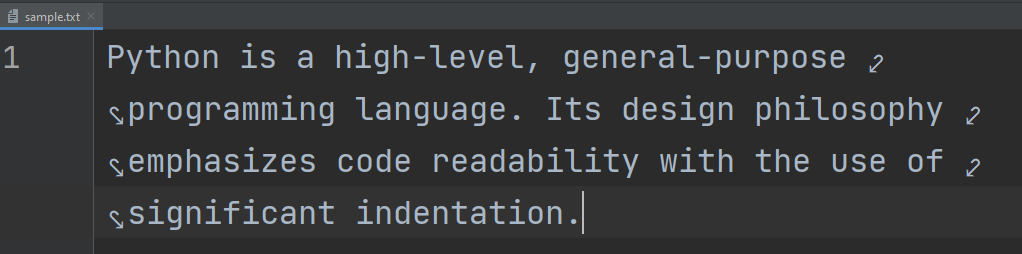
We'll be using the sample.txt file, which contains the information shown in the image below.
seek
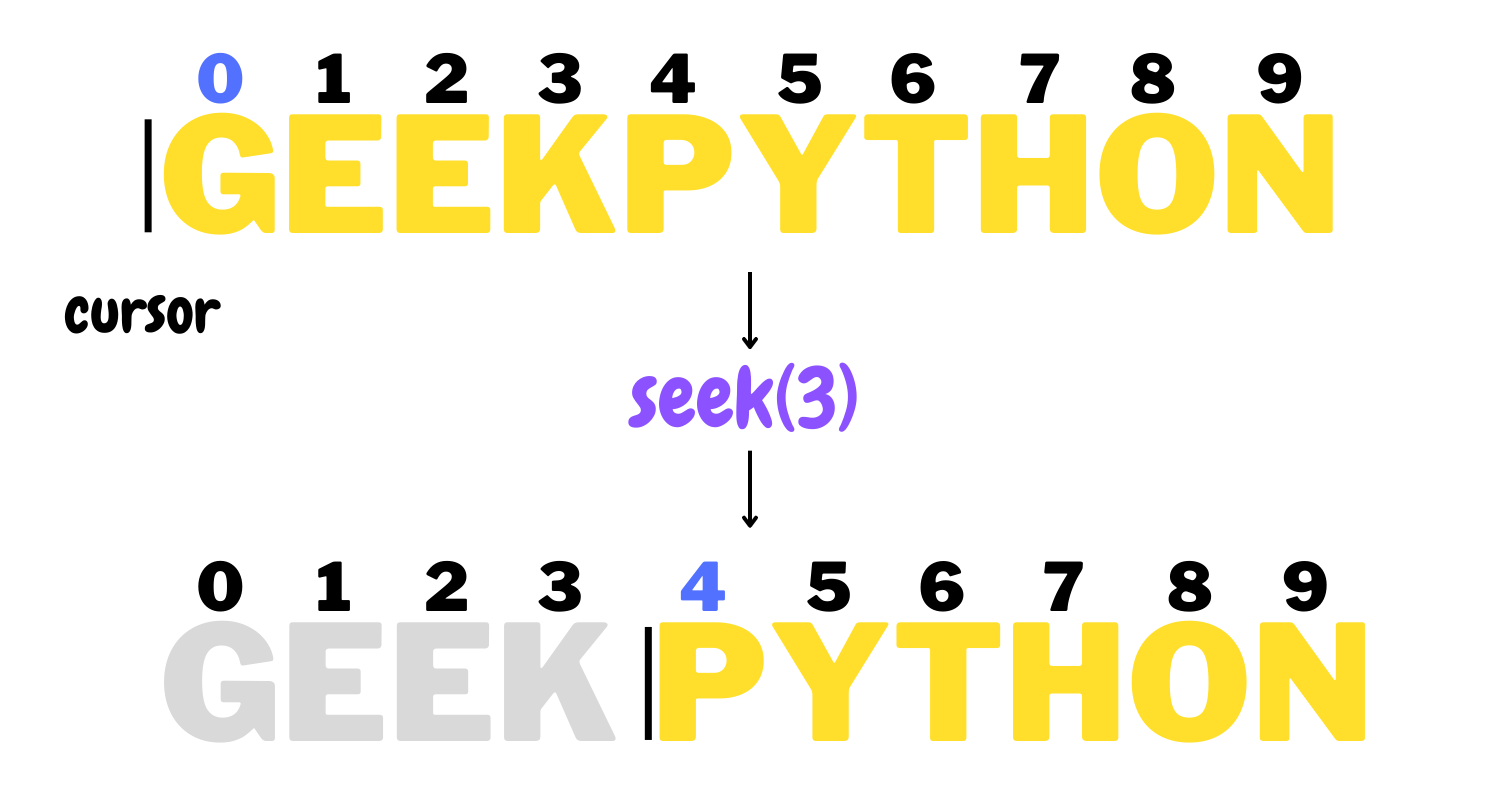
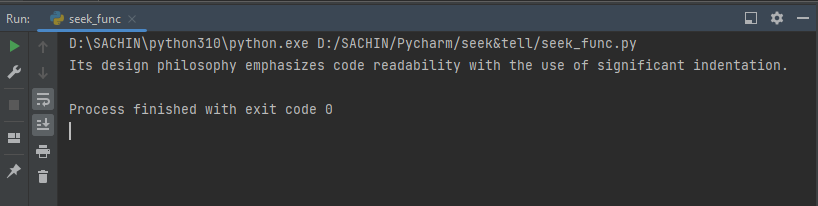
The seek() function in Python is used to move the file cursor to the specified location. When we read a file, the cursor starts at the beginning, but we can move it to a specific position by passing an arbitrary integer (based on the length of the content in the file) to the seek() function.
# Opening a file for reading
with open('sample.txt', 'r') as file:
    # Setting the cursor at 62nd position
    file.seek(62)
    # Reading the content after the 62nd character
    data = file.read()
    print(data)
We've moved the cursor to the 62nd position, which means that if we read the file, we'll begin reading after the 62nd character.
Syntax
seek(offset, whence)
Here,
offset - Required parameter. Sets the cursor to the specified position and starts reading after that position.
whence - Optional parameter. It is used to set the point of reference to start from which place.
0 - Default. Sets the point of reference at the beginning of the file. Equivalent to os.SEEK_SET.
1 - Sets the point of reference at the current position of the file. Equivalent to os.SEEK_CUR.
2 - Sets the point of reference at the end of the file. Equivalent to os.SEEK_END.
Note: We cannot set the point of reference
1or2when a file is opened in text mode, but we can specify1or2when the offset is set to0.
More examples
We'll see examples where we can experiment with these parameter values to better understand how they work.
Example 1 - Seek relative to the current position in text mode
# Opening a file for reading
with open('sample.txt', 'r') as file:
    # Setting the cursor at 62nd position and sets the reference point equal to 1
    file.seek(62, 1)
    # Reading the content after the 62nd character
    data = file.read()
    print(data)
We opened the file in text mode, moved the cursor to the 62nd position, and set the reference point as the file's current position. Then we attempted to open the file.
Traceback (most recent call last):
  ....
    file.seek(62, 1)
io.UnsupportedOperation: can't do nonzero cur-relative seeks
Python returned an error message stating that this operation is not supported because seek relative to current position cannot be performed with a number other than 0. If we specify a reference point equal to 2, the result will be the same.
However, if we had opened the file in binary mode, the above code would have been executed without error.
Example 2 - Seek relative to the current position in binary mode
# Opening a file for reading in binary mode
with open('sample.txt', 'rb') as file:
    """Setting the cursor at 62nd position and
    setting the reference point equal to 1"""
    file.seek(62, 1)
    # Reading the content after the 62nd character
    data = file.read()
    print(data)
Output
b'Its design philosophy emphasizes code readability with the use of significant indentation.'
Example 3 - Specifying the negative offset value.
# Opening a file for reading in binary mode
with open('sample.txt', 'rb') as file:
    # Setting the cursor at 25th position from the end
    file.seek(-25, 2)
    # Reading the content
    data = file.read()
    print(data)

----------
b' significant indentation.'
The reference point is at the 25th position from the end. We got the output characters up to the 25th position to the left of the file's end.
Example 4
# Opening a file for reading in binary mode
with open('sample.txt', 'rb') as file:
    # Setting the cursor at 50th position
    file.seek(50)
    # Moving back 10 chars from the current position
    file.seek(-10, 1)
    # Reading the content
    data = file.read()
    print(data)
Output
b'programming language. Its design philosophy emphasizes code readability with the use of significant indentation.'
tell
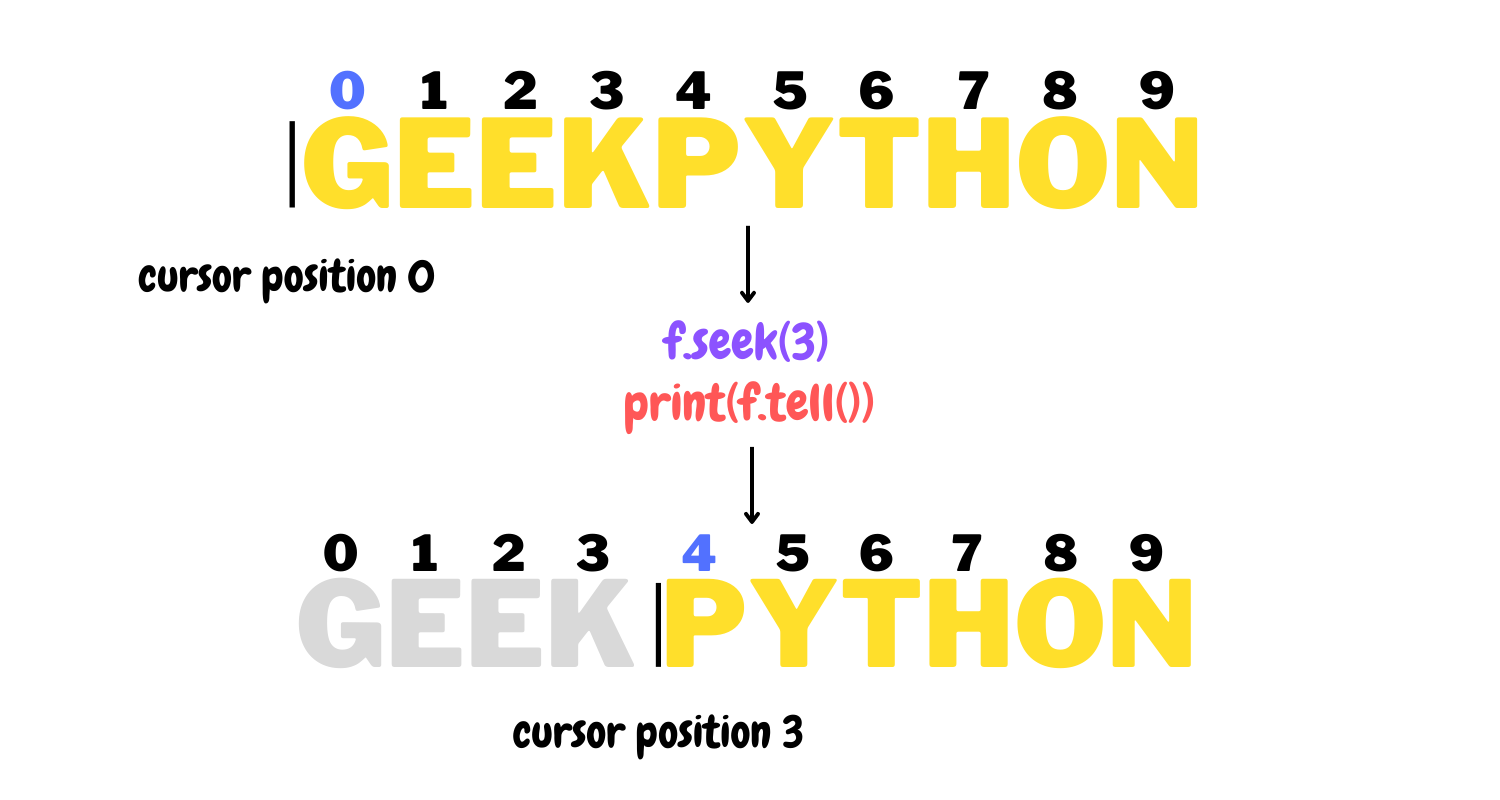
The seek() function is used to set the position of the file cursor, whereas the tell() function returns the position where the cursor is set to begin reading.
# Opening a file
with open('sample.txt', 'r') as file:
    # Using tell() function
    pos = file.tell()
    # Printing the position of the cursor
    print(f'File cursor position: {pos}')
    # Printing the content
    data = file.read()
    print(data)
Output
File cursor position: 0
Python is a high-level, general-purpose programming language. Its design philosophy emphasizes code readability with the use of significant indentation.
Syntax
tell()
The tell() function takes no parameter.
Examples
As previously stated, we can use the tell() function to return the cursor position set by the seek() function. To determine the position of the cursor, we'll experiment with the seek() function parameter values.
Example 1 - Setting cursor position from the end and printing the cursor position
# Opening a file in binary mode
with open('sample.txt', 'rb') as file:
    # Setting cursor at the 25th pos from the end
    file.seek(-25, 2)
    # Using tell() function
    pos = file.tell()
    # Printing the position of the cursor
    print(f'File cursor position: {pos}')
    # Printing the content
    data = file.read()
    print(data)
Output
File cursor position: 127
b' significant indentation.
The character at the 25th position from the end begins after the 127th character from the beginning, that's why we got the cursor position as 127.
Example 2
# Opening a file in binary mode
with open('sample.txt', 'rb') as file:
    # Setting cursor at the 100th pos
    file.seek(100)
    print(f'File cursor position before: {file.tell()}')
    # Moving back 15 chars from the current position
    file.seek(-15, 1)
    # Using tell() function
    pos = file.tell()
    # Printing the position of the cursor
    print(f'File cursor position now: {pos}')
    # Printing the content
    data = file.read()
    print(data)
Output
File cursor position before: 100
File cursor position now: 85
b'mphasizes code readability with the use of significant indentation.'
Difference
| seek() | tell() |
| Used to set the file cursor to the specific position. | Used to tell the position of the file cursor. |
Takes two parameters: the first is offset and the second is whence. | Takes no parameter |
By using seek() function, we can manipulate the reading position of the file's content. | By using the tell() function, we can only get the position of the file cursor. |
Conclusion
The article discussed the differences between seek() and tell() functions, as well as how to use them effectively to handle file data. These two functions are completely distinct from one another.
🏆Other articles you might be interested in if you liked this one
✅Generate temporary files and directories using tempfile in Python.
✅Creating and implementing abstract classes in Python.
✅How to use getitem, setitem and delitem in Python.
✅How to use super() function in Python classes.
✅How to integrate the PostgreSQL database with Python?
✅Build your command line interface in a few steps.
✅Perform high-level file operation using the shutil in Python.
That's all for now
Keep Coding✌✌